Big Tower Tiny Square Unblocked — Play Free Online
More Jump & Climb games





Big Tower Tiny Square unblocked: play Big Tower Tiny Square online free right here in your browser — no download, no sign-up, works on a school Chromebook.
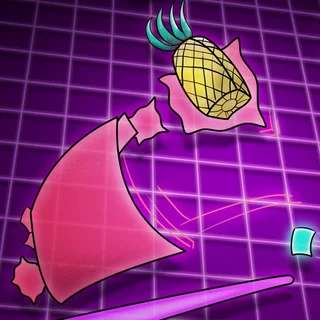
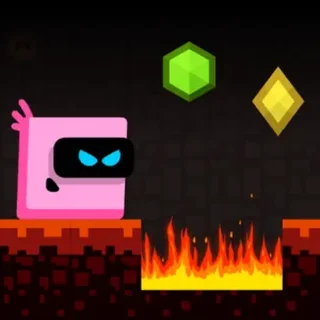
Big Tower Tiny Square is a tough, precision-driven platformer built inside a single massive tower. You play as a tiny square on a rescue mission to recover a kidnapped pineapple taken by Big Square at the very top. Reaching the peak means navigating a gauntlet of lethal lasers, spinning blades, lava pits, and tricky jumps across dozens of interconnected vertical sections.
For players who enjoy vertical climbers like Doodle Jump, this game offers a distinct kind of ascent. While Doodle Jump relies on bouncy reflexes and random platforms, Big Tower Tiny Square tests deliberate spatial awareness, rhythm, and memorization. Every screen is fixed, every trap operates on strict patterns, and failure restarts you instantly at the last activated checkpoint.
How to play
You steer your square across platforms using the Arrow keys or A and D, jumping with the Up Arrow, Spacebar, or W. The core mechanic relies heavily on wall jumping and momentum control. When sliding down flat walls, pressing jump launches you outward and upward, allowing you to scale narrow vertical shafts or dance between moving hazards.
Checkpoints appear regularly as small pads along the path. Walking over one updates your respawn point immediately. Because hazards defeat you in a single touch, climbing is a steady process of solving one obstacle room, touching the next checkpoint, and analyzing the upcoming trap timing.
Climbing tips and mechanics
Patience and observation will save you more runs than reckless rushing:
- Watch laser cycles before leaping: Many laser beams pulse in predictable intervals. Wait on a safe ledge for a complete cycle before timing your leap across a gap.
- Master wall sliding: You can slide down walls to control your descent speed. Use wall contact to line up jumps rather than trying to clear long drops in a single blind leap.
- Use short taps for fine adjustments: On narrow ledges flanked by lava, tapping direction keys lightly prevents overshooting into danger.
- Always activate checkpoints: Never skip a side room containing a checkpoint pad, even if you feel confident in clearing the next sequence.
Similar games on Doodle Jump
If you want more platforming and climbing challenges on this site, several companion titles offer great alternatives:
- Big Neon Tower vs Tiny Square brings back the same square hero with glowing visuals, fresh obstacle patterns, and even tighter room layouts.
- Stickman Climb 3D shifts the focus to physics-based momentum and axe-swinging climbs over steep surfaces.
- Helix Jump delivers quick descending spatial puzzles that flip the vertical climbing challenge upside down.
Big Tower Tiny Square runs entirely in your web browser with no downloads or setup required. It is an ideal test of skill whether you have five minutes to tackle a few screens or want to climb the entire tower in one focused sitting.
Questions about Big Tower Tiny Square
Is Big Tower Tiny Square unblocked at school?
Big Tower Tiny Square runs in an ordinary browser tab from doodlejump.us.com, with nothing to download or install, so it plays on most school Chromebooks and work computers. If a network filter blocks the site, only that network's administrator can change it.
How do checkpoints work in Big Tower Tiny Square?
Checkpoints are glowing pads scattered throughout the tower. Stepping on one saves your progress instantly, and dying returns you to that exact pad with zero delay.
What controls do you use to jump and climb walls?
Use the Arrow keys or WASD to move left and right. Press Space or Up Arrow to jump, and press jump repeatedly while touching a vertical surface to wall jump.
Does Big Tower Tiny Square save my progress if I close the tab?
The game saves your active checkpoint in browser local storage, allowing you to resume your climb from the same tower section later on the same device.
Is Big Tower Tiny Square suitable for touchscreens or keyboards?
While on-screen touch controls are supported, a physical keyboard is strongly recommended for the tight timing and wall jumps required later in the tower.