Up Together Unblocked — Play Free Online
More Jump & Climb games








Up Together unblocked: play Up Together online free right here in your browser — no download, no sign-up, works on a school Chromebook.
What is Up Together?
Up Together is a vertical parkour platform game created by IronFoxGames and released in December 2023. Players control a customizable fruit or vegetable character attempting to scale an enormous tower filled with moving ledges, tricky gaps, and hazardous traps. The core loop centers on precise momentum management and vertical ascension: you jump between shifting platforms, scale steep vertical walls, and aim for the fastest ascent to climb the global leaderboard. The game runs directly in your web browser with no download or setup required.
Key features
- Vertical parkour climbing: Scale high courses packed with floating ledges, moving obstacles, and narrow footholds.
- Wall climbing mechanics: Hold the jump key against vertical surfaces to scramble upward and reach high platforms.
- Interactive block types: Step onto blue pads for sudden speed surges while steering clear of dangerous red blocks.
- Character customization: Select your favorite fruit or vegetable avatar and pick a custom nickname before starting your climb.
- Global leaderboard: Ascend as high as possible to secure a top ranking based on your climbing distance and speed.
- Hidden secrets: Explore alternate paths and tucked-away alcoves scattered across the vertical course.
How to play
- Choose your avatar: Pick your preferred produce character, type your player name, and begin the parkour run.
- Master basic movement: Use the arrow keys or WASD to run left and right across platforms.
- Execute precision jumps: Press the Spacebar to hop across gaps, and hold the Spacebar against walls to climb upward.
- Utilize speed pads: Step on blue blocks to launch yourself across wide chasms with boosted momentum.
- Avoid hazards: Steer clear of red blocks that disrupt your run or send you tumbling down.
- Reach the summit: Keep ascending without falling to post your highest mark on the leaderboard.
Controls
| Action | Keyboard | Touch |
|---|---|---|
| Move left and right | A / D or Left / Right arrow | On-screen steering buttons |
| Jump | Spacebar or W or Up arrow | On-screen jump button |
| Climb walls / continuous jump | Hold Spacebar | Hold on-screen jump button |
Parkour mechanics and special blocks
The physics in Up Together reward rhythm and fast decision-making. As you climb higher into the sky, the course introduces specialized blocks that modify your movement. Blue blocks deliver an immediate speed boost, granting the extra forward and upward velocity needed to clear expansive gaps. Conversely, red blocks act as hazardous obstacles that punish mistimed hops. Mastering the transition between standard running, boost-assisted leaps, and vertical wall climbs is essential for maintaining upward progress without suffering a long fall back toward earlier sections.
Tips and strategy
- Maintain wall climbing rhythm: Hold the jump control consistently when approaching vertical surfaces so your character grabs the wall immediately instead of sliding down.
- Line up speed boosts: Before stepping onto blue boost blocks, align your direction toward your target landing platform to avoid overshooting into open air.
- Watch for moving platforms: Pause briefly on stable surfaces to observe the movement patterns of shifting ledges before committing to a leap.
- Steer away from red blocks: Give red hazard blocks a wide berth during high-speed jumps, as clipping their edges will ruin your climbing route.
- Scan for hidden shortcuts: Keep an eye on alternate wall routes that may offer safer ascents or secret paths up the tower.
Versions and similar games
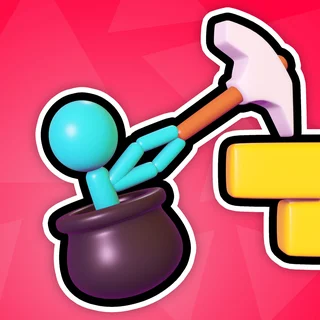
Up Together shares common elements with other jumping and climbing titles on Doodle Jump. While Doodle Jump features endless vertical bouncing with automatic springs and tilting mechanics, Up Together gives you direct platforming control with dedicated wall climbing and sprint boosts. Players who enjoy precision climbing can also check out Stickman Climb 3D for physics-based obstacle navigation, or Big Neon Tower vs Tiny Square for single-screen precision jumping challenges. Each game emphasizes vertical progression while offering distinct movement mechanics.
Developer and history
Up Together was created by IronFoxGames and released in December 2023. Built with modern web standards, the title delivers smooth platforming physics across desktop and mobile browsers without requiring additional downloads.
Questions about Up Together
Is Up Together unblocked at school?
Up Together runs in an ordinary browser tab from doodlejump.us.com, with nothing to download or install, so it plays on most school Chromebooks and work computers. If a network filter blocks the site, only that network's administrator can change it.
What kind of game is Up Together?
Up Together is a vertical parkour platform game where you scale towering obstacle courses, leap across moving ledges, and climb walls to reach the highest point.
How do you climb walls in Up Together?
To scale vertical walls, jump toward the surface and hold the Spacebar. Your character will cling to the wall and leap upward continuously.
What do blue and red blocks do in Up Together?
Blue blocks give your character a sudden speed boost for long leaps, while red blocks act as hazardous obstacles that you must avoid during your climb.
Can I play Up Together on mobile devices?
Yes, Up Together runs directly in modern web browsers on mobile phones, tablets, and desktop computers without requiring any software installation.