Red Ball 4 Unblocked — Play Free Online
More Jump & Climb games










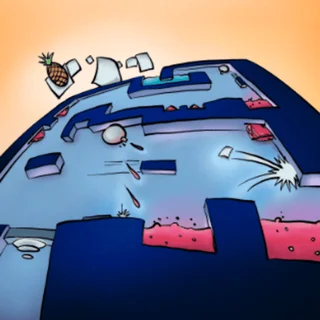
Red Ball 4 unblocked: play Red Ball 4 online free right here in your browser — no download, no sign-up, works on a school Chromebook.
Red Ball 4 is a physics-driven platformer where you guide a cheerful spherical protagonist on a mission to stop evil grey cubes from turning the entire planet square. Instead of fixed-speed jumping, the game relies on momentum, rolling friction, and realistic weight distribution to create satisfying movement across rolling hills, treacherous chasms, and mechanical factories.
Where arcade vertical climbers focus on endless upward ascents and twitch reflexes, Red Ball 4 offers handcrafted stage design that balances platforming precision with clever environmental puzzles. You spend as much time pushing wooden crates onto pressure plates and balancing seesaws as you do clearing spike pits and outrunning rolling boulders.
How to play
Movement in Red Ball 4 uses simple directional inputs:
- Left / Right Arrow or A / D: Roll left and right to build speed and climb gentle slopes.
- Up Arrow, W, or Spacebar: Jump into the air or bounce off objects.
- Down Arrow or S: Brake suddenly to stop runaway momentum on narrow ledges.
Each level challenges you to reach the checkered flag while collecting golden stars along the path. Square minions patrol platforms and must be eliminated by bouncing directly on top of their heads. Touching an enemy from the side depletes one of your three red hearts, while falling into deep water or landing on metal spikes resets you to the nearest checkpoint flag.
Tips for tricky stages
Mastering momentum is essential for conquering later stages and earning gold ratings:
- Harness downhill speed: Rolling down steep slopes dramatically increases your speed, giving you the necessary lift to clear wide ravines or launch up steep hills.
- Use crates as mobile shields and steps: Heavy wooden boxes can trigger floor switches, block incoming laser beams, or provide an elevated platform to reach high stars.
- Control mid-air rotation: You can slightly adjust your trajectory while airborne, which helps you safely correct overshoots and land squarely on moving platforms.
- Watch enemy patterns: Armored and bouncing square minions require patient timing. Wait until they pause or reverse direction before executing a jump attack.
Similar games on Doodle Jump
If you enjoy the physics-based mechanics and momentum of Red Ball 4, several companion games on Doodle Jump offer related challenges. Big Neon Tower vs Tiny Square tests your precision platforming and checkpoint navigation inside a massive vertical gauntlet. Blumgi Bounce delivers quick physics puzzles where calculated arcs and bounce angles determine success. For players who love rolling navigation with escalating speed, Rolling Jump and Helix Jump provide addictive downward and horizontal momentum runs.
Questions about Red Ball 4
Is Red Ball 4 unblocked at school?
Red Ball 4 runs in an ordinary browser tab from doodlejump.us.com, with nothing to download or install, so it plays on most school Chromebooks and work computers. If a network filter blocks the site, only that network's administrator can change it.
What are the default controls for Red Ball 4?
Use the left and right arrow keys or A and D to roll and build momentum. Press the up arrow key, W, or the Spacebar to jump over obstacles and stomp enemies.
How do you defeat enemies in Red Ball 4?
Time your jumps to land squarely on top of square minions to crush them. Avoid touching enemies from the side or underneath, as that costs you one heart.
Does Red Ball 4 save your level progress?
Yes, the game saves completed stages and collected stars in your browser local storage so you can pick up where you left off across sessions.
Can you play Red Ball 4 on mobile devices?
The browser version supports modern touch screens with on-screen directional buttons and jump controls, though physical keyboard inputs offer the most precise control.