Wacky Doodle Fixes Unblocked — Play Free Online
More Puzzle & Brain games



Wacky Doodle Fixes unblocked: play Wacky Doodle Fixes online free right here in your browser — no download, no sign-up, works on a school Chromebook.
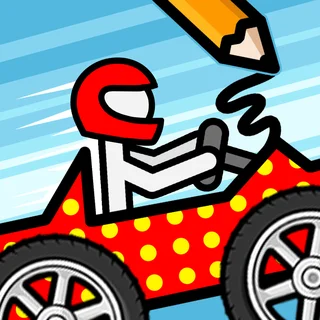
Wacky Doodle Fixes is a charming drawing puzzle game where creative problem-solving meets playful cartoon situations. In each stage, players encounter an incomplete scene or a character stuck in a humorous dilemma. By sketching the missing item, structure, or connection directly onto the screen, you bring each illustrated scenario to life and help the characters resolve their problems.
Fans of classic browser titles like Doodle Jump will immediately appreciate the hand-drawn aesthetic and lighthearted energy. Instead of testing rapid reflex jumps, however, this game slows things down into a relaxing, thought-provoking sequence of visual puzzles. Every level invites you to examine the environment, identify what is missing, and test your own doodle-based solution.
How to play
Playing is simple and intuitive regardless of your setup. On a desktop computer or laptop, click and drag with your mouse cursor across the canvas to draw shapes, bridges, handles, or protective barriers. On mobile devices or tablets, simply drag your finger across the touchscreen to trace your strokes directly onto the screen.
Once you release your click or lift your finger, the game evaluates your drawing to see if it satisfies the stage's physical or logical objective. If your line is misplaced or you want to try a different idea, click the undo button next to the canvas to remove your last stroke. You can also press the clear button to wipe the entire area and start the puzzle from scratch.
Tips for solving tricky stages
- Focus on basic shapes: The puzzle engine looks for functional geometry and correct positioning rather than artistic perfection. A simple straight line, circle, or arch is usually all that is needed.
- Study the context clues: Look closely at character facial expressions and missing slots in the background art to deduce what object belongs in the gap.
- Use the clear button when stuck: Cluttering the canvas with multiple stray marks can obscure the puzzle area. Resetting the screen provides a fresh perspective.
Similar games on Doodle Jump
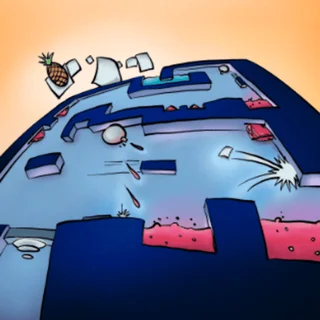
If you enjoy creative challenges and lighthearted physics, Doodle Jump hosts a wide variety of engaging companions. Titles like Blumgi Bounce and Two Button Bounce deliver quick spatial puzzles with accessible control schemes. For players seeking charming adventure platformers, Jelly Venture and Kitty Loves Birds offer delightful casual journeys, while the iconic Doodle Jump remains the ultimate test of vertical jumping agility.
Wacky Doodle Fixes runs entirely within your modern web browser with nothing to download or install, making it an ideal choice for quick gaming sessions during study or work breaks.
Questions about Wacky Doodle Fixes
Is Wacky Doodle Fixes unblocked at school?
Wacky Doodle Fixes runs in an ordinary browser tab from doodlejump.us.com, with nothing to download or install, so it plays on most school Chromebooks and work computers. If a network filter blocks the site, only that network's administrator can change it.
What is the main goal in Wacky Doodle Fixes?
Each level presents a quirky illustrated scenario with a missing element or problem. Your goal is to draw the necessary line, shape, or object to complete the scene and solve the puzzle.
How do you draw and clear mistakes in the game?
Click and drag with your mouse or drag your finger on touchscreens to sketch. If you make a mistake, tap the undo button to step back or use the clear button to wipe the canvas.
Can you play Wacky Doodle Fixes on mobile devices?
Yes, the game runs smoothly in standard mobile web browsers using responsive touch gestures, requiring no app downloads or plugins.